
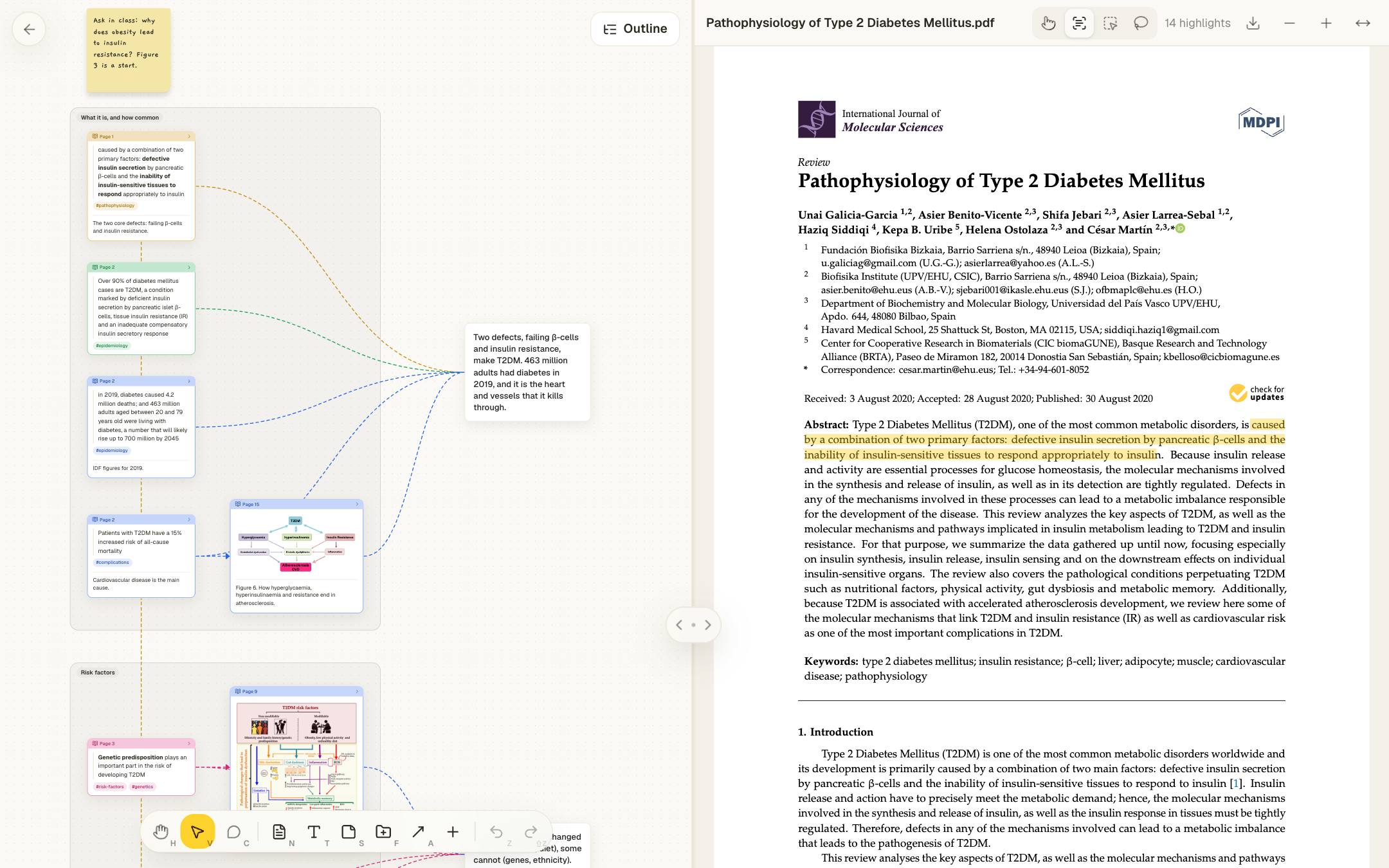
In short
- A mind map made from a PDF works best when its branches are the paper’s own passages, not your paraphrase from memory.
- In Lattio every highlight becomes an excerpt card, and every card keeps a link back to its page.
- Drag one excerpt onto another to make it a branch. Auto layout then lays the whole canvas out as a mind map.
- The same map reads as an outline, and you can export it to Markdown or OPML on Pro.
Why turn a PDF into a mind map?
A paper is written in one line, page after page, but its argument is a tree: a claim, the evidence for it, and the caveats. Reading once and keeping only highlights leaves the tree inside the PDF. A mind map puts it in front of you, so you can see what a paper says on one screen and come back to it in a minute instead of an hour.
Most mind map apps start from a blank page, which means retyping what you read. Lattio builds the map from the passages themselves: you highlight, and the branches are already there.
Step 1: highlight the PDF into cards
Drop the PDF on a canvas and click it. The PDF opens on the right, its notes canvas on the left, where the mind map will grow.
Select a sentence and pick a color. An excerpt card with its text appears on the canvas. Use colors for kinds of passage: one for claims, one for evidence, one for limits. Draw a rectangle around a figure or a formula to make it a card too.

Each card shows its page, and a click on it scrolls the PDF back to the passage, so a branch of the map is never more than a click from its source.
Step 2: connect the branches
- Drag an excerpt onto another to make it a branch of it. Lattio draws the line and puts the card beside its parent. Sticky notes take branches the same way, for your own questions.
- Summary joins a text card to the excerpts you selected. Write what they say together: that card becomes the node they hang from.
- Group puts excerpts in a titled box, the map’s main topics.
Step 3: let Auto layout draw the mind map
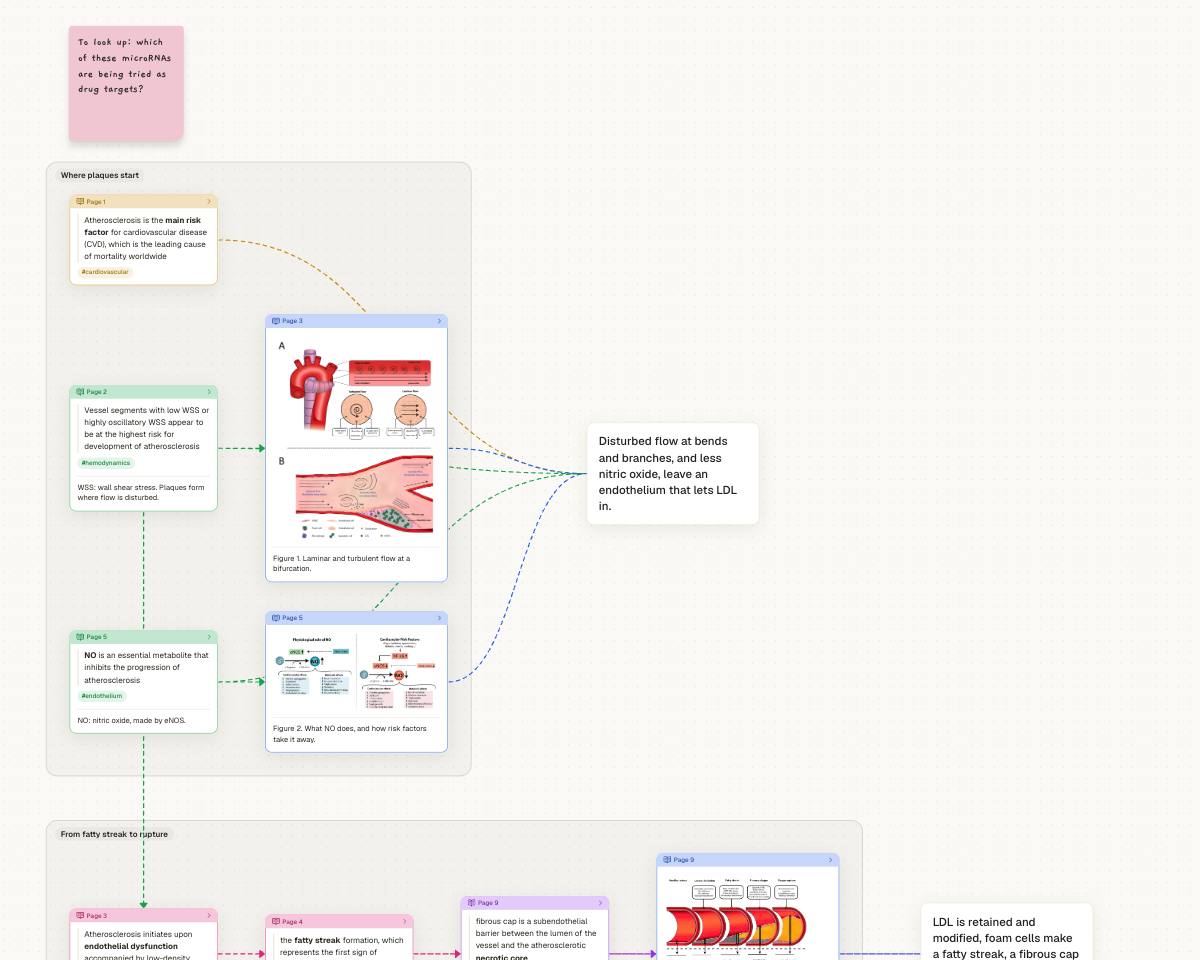
Click Auto layout on the excerpt toolbar (or run it from ⌘K). With nothing selected, Lattio arranges the whole notes canvas as a mind map: every card left of its branches, each summary to the right of the excerpts it sums up, groups drawn around their cards. Select a few cards and only they are arranged. It is one step: undo puts everything back.
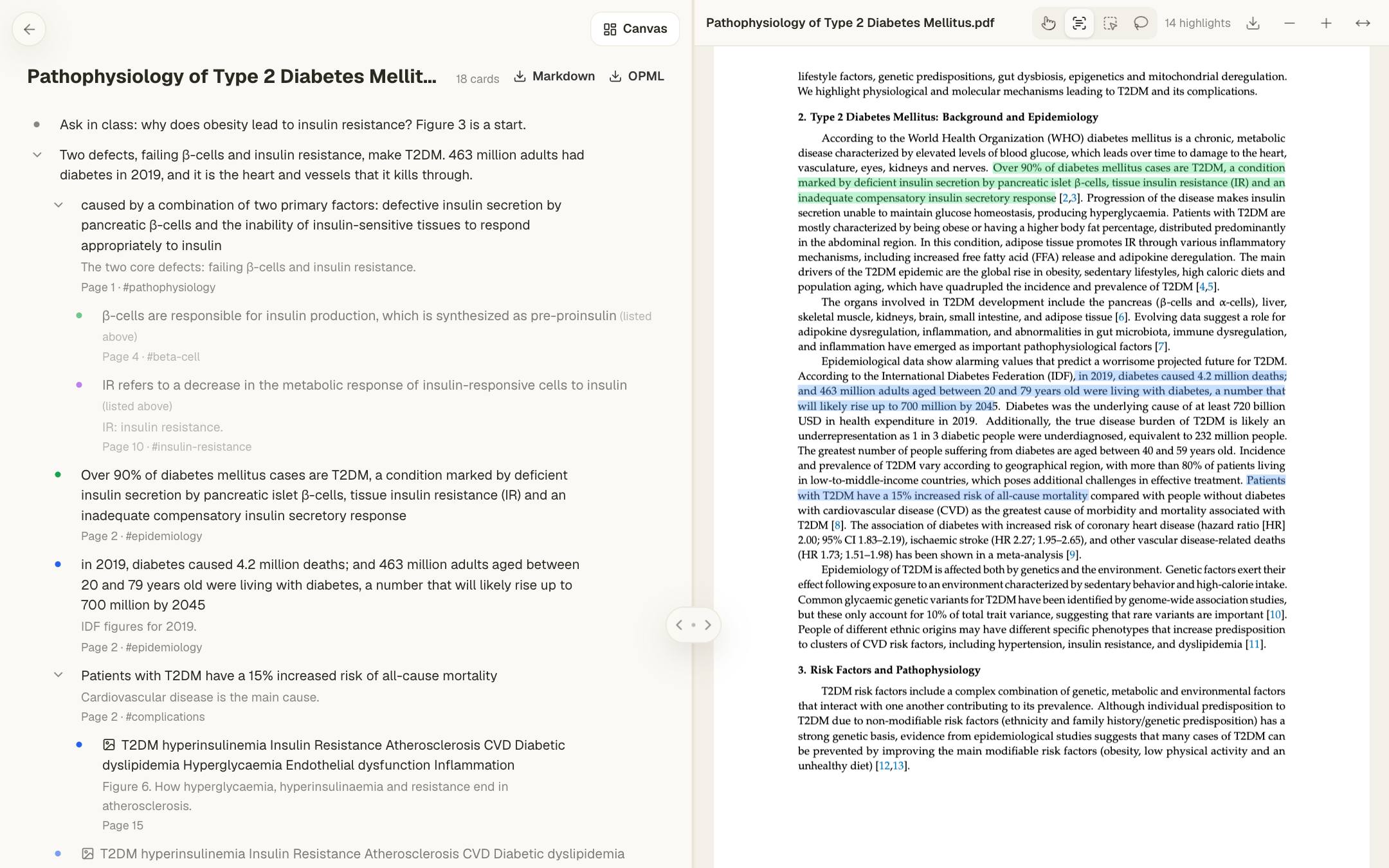
Switch the notes canvas to Outline to read the same map as an indented list, ordered by page. Tab and Shift+Tab move a row under the one above it or out of its parent, and the map follows.
A PDF mind map compared with a blank mind map
| Task | Blank mind map app | Lattio |
|---|---|---|
| Making a node | Type it out | Highlight the passage |
| Checking a node | Find the page again | Click the card |
| Figures and formulas | Screenshots pasted in | Cut out of the page as cards |
| Layout | Fixed tree | Auto layout, or anywhere on the canvas |
| Remembering it | Not included | Review cards with spaced repetition |
Frequently asked questions
Can I make a mind map from a PDF for free?
Yes. Highlighting, excerpt cards, connections, Auto layout and the outline view are on every plan. Exporting the outline to Markdown or OPML is part of Pro.
Does it work with scanned PDFs?
Yes, on Pro. Text recognition reads scanned pages, after which you highlight them like any PDF. On any plan you can cut a region of a scan out as a picture card.
Can I map EPUB books and web articles too?
Yes. Articles (with Read and highlight on a link card), EPUB books and videos open in study mode beside the same notes canvas.
Can I open the mind map in another app?
On Pro, export the outline as OPML, which mind map and outliner apps such as XMind and OmniOutliner open, or as Markdown.
Start thinking spatially with Lattio
Notes, PDFs, and ideas on an infinite canvas. Free, offline-first, and stored right on your computer.